The IRS has increased its focus on the calculation and reporting of partner and shareholder basis, and recent changes to IRS forms reflect this heightened scrutiny. This course provides a detailed analysis of the calculations used to determine tax basis for partnership interests and S corporation shareholder stock and debt basis. Participants will learn how to use information reported on Form 1065, Schedule K-1 and Form 1120-S, Schedule K-1 to accurately determine basis. Illustrated examples and completed forms demonstrate the calculation process and highlight common pitfalls.
This course also reviews the accurate reporting, correction, and reconstruction of partner and S corporation shareholder basis. It includes two common issues affecting basis calculations related to the reporting of Employee Retention Tax Credit (ERTC) refunds and Paycheck Protection Program (PPP) loan forgiveness on entity tax returns.
Learning Objectives
- Identify the tax issues related to LLC member/partner basis from formation through operations and concluding with sale or liquidation.
- Identify the tax issues related to S corporation shareholder stock and debt basis from formation through operations and concluding with sale or liquidation.
- Understand common pitfalls and tax planning strategies.
Session Highlights
- Form 7203: S Corporation Shareholder Basis
- Calculate basis when an entity is formed, including the impact of contributed property.
- Calculate partnership tax basis capital accounts.
- Understand how partnership and S corporation debt affects tax basis.
- IRS rules for partner capital accounts and basis.
- Understand the use of both inside and outside basis.
- Explain the differences between S corporation and partnership basis.
- Apply basis correctly on individual tax returns.
- Understand partnership capital accounts and their effect on basis.
- Understand how S corporation losses affect Form 1040, Schedule E.
- Understand partnership distributions.
- Partnership distribution definitions and types.
- Determine when partnership distributions are taxable.
Credits and Other information
- Recommended CPE credit – 2.0
- Recommended field of study – Taxes
- Session Prerequisites and preparation: None
- Session learning level: Basic
- Location: Virtual/Online
- Delivery method: Group Internet Based
- NASBA Sponsor: 146439
- IRS Course ID: PJGWS-T-00108-25-O
- Attendance Requirement: Yes
- Session Duration: 2 Hours
- Case Studies and Live Q&A session with speaker
- PowerPoint presentation for reference
Who should attend?
- CPAs
- EAs
- Tax return preparers
- Accountants
- Tax professionals
Coder Archives is registered with the National Association of State Boards of Accountancy (NASBA) as a sponsor of continuing professional education on the National Registry of CPE Sponsors. State boards of accountancy have final authority on the acceptance of individual courses for CPE credit. Complaints regarding registered sponsors may be submitted to the National Registry of CPE Sponsors through its website: www.nasbaregistry.org.
Speaker Profile:
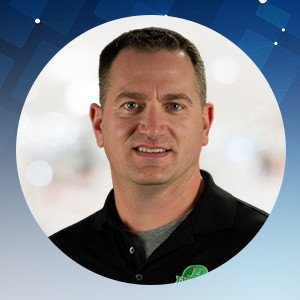
Jason Dinesen (EA, LPA) is a tax nerd, entrepreneur, tax expert and a well known presenter of continuing education courses. He has an impeccable acumen for tax subjects, by virtue of which, he is known to create very well researched course materials helping individuals and businesses with accounting, bookkeeping, tax preparation, and business advisory in various industries.Known for his sharp tax interpretations, he is one of the quickest to bring the analysis of the latest tax updates and IRS guidance to the professional community. Jason has coached over 200,000 accounting, tax, and HR professionals on various topics of accounting, individual taxation, corporate taxation, professional ethics, and much more.
Credits and Other information
- Recommended CPE credit – 2.0
- Recommended field of study – Taxes
- Session Prerequisites and preparation: None
- Session learning level: Basic
- Location: Virtual/Online
- Delivery method: Group Internet Based
- NASBA Sponsor: 146439
- IRS Course ID: PJGWS-T-00108-25-O
- Attendance Requirement: Yes
- Session Duration: 2 Hours
- Case Studies and Live Q&A session with speaker
- PowerPoint presentation for reference
We are approved to provide CPE/CE credits to Tax Professionals
We reports the educational credits to the respective licensing/regulatory bodies in 5 business days.
The credentials to log into your account is your EMAIL ADDRESS & PASSWORD used during account creation.
- If you’ve forgotten your password, please go to the login page and click on the ‘Forgot Password.’ Then enter your registered email id to receive the password reset email. Click on the link given in the email to enter your new password.
- If the face any challenge, please reach out to us via email support@pro2learn.com or contact our support team through live chat support. Our support line is 1-937-865-8027.Our support team is available Monday to Friday from 09:00 AM – 06:00 PM EST/EDT
When you register for any of our webinars/product, you receive will the instruction 24 hours prior to the conference. Also, the instructions are avilable in your account under ‘My Webinars’ section.
You can cancel your registration to by email at support@pro2learn.com. If you cancel your registration for the paid webinar, the amount shall be credited back in your payment method within 7 business days.
The conference materials are available 4 hours prior to the webinar. You can download it from the webinar page or by logging to your account.
Our seamlessly integrated with ZOOM, WebX and, Goto for delivering continuing education webinars. The system requirements are :
- An internet connection – broadband wired or wireless
- Speakers and a microphone – built-in, USB plug-in, or wireless Bluetooth
Our package courses are the bundles of various continuing education courses which have been specially designed to meet your continuing education requirements for a particular Qualification.
- The web download is the recording of the webinar. You will receive a link to download and save the webinar on your computer and watch it anytime and multiple times.
- The transcript is the detailed written material presented during the webinar.
On demand session is when we conduct the webinar as per your available dates after the live training. You will get access to the training for 24 hours.
To access a course that you have already purchased, all you must have to create/log in to your account. Click on the "Log In" button in the top right of the screen. Once you are logged in, you will have immediate access to all your purchased CPE courses, packages and other self-service or you can write on support@pro2learn.com.
We will email your certificate within 3 working days of the end of the webinar, or you can login your account at www.pro2learn.com. If you don’t receive the email within 3 working days of the end of the webinar, check your spam/junk folder. If it’s not there, we recommend that you send us an email at support@pro2learn.com or connect over the online chatroom.