Unlock the full potential of the federal estate tax exemption with Portability and the DSUE: Maximizing the Deceased Spouse’s Unused Exclusion. This essential continuing education program provides a deep dive into the concept of portability and how to effectively preserve and apply the Deceased Spouse’s Unused Exclusion (DSUE) for surviving spouses. Participants will learn when and how to elect portability, the strategic advantages of filing a timely Form 706—even for estates below the filing threshold—and how the DSUE can be used to significantly enhance lifetime gifting and estate planning flexibility. The program also covers critical pitfalls, IRS guidance, and planning considerations in light of recent legislative changes. Whether you’re advising married couples, navigating a post-mortem estate, or crafting long-term wealth transfer strategies, this course equips you with the tools to preserve and maximize available tax benefits.
Session Highlights:
- Explain the concept of portability and identify the requirements for electing the Deceased Spouse’s Unused Exclusion (DSUE) on Form 706.
- Analyze scenarios where electing portability provides strategic estate and gift tax advantages, even when the deceased spouse’s estate is not otherwise taxable.
- Apply best practices to accurately complete and timely file Form 706 to preserve the DSUE for future use.
- Evaluate common errors and compliance risks associated with portability elections and implement strategies to avoid them.
- Understand the mechanics and requirements of electing portability
- Learn how to capture and use the DSUE to expand planning opportunities
- Identify best practices for filing Form 706 in non-taxable estates
- Avoid common mistakes and stay compliant with IRS guidance
Credits and Other Information:
- Recommended CPE credit – 2.0
- Recommended field of study – Taxes
- Session Prerequisites and preparation: None
- Session learning level: Basic
- Location: Virtual/Online
- Delivery method: Group Internet Based
- IRS Course ID: PJGWS-T-00112-25-O
- Attendance Requirement: Yes
- Session Duration: 2 Hours
- Case Studies and Live Q&A session with speaker
- PowerPoint presentation for reference
Who Will Benefit:
- CPA
- Accountants
- Enrolled Agents (EAs)
- Tax Professionals
- Attorneys
- Other Tax Preparers
- Wealth Managers
- Finance professionals
- Financial planners
Coder Archives is registered with the National Association of State Boards of Accountancy (NASBA) as a sponsor of continuing professional education on the National Registry of CPE Sponsors. State boards of accountancy have final authority on the acceptance of individual courses for CPE credit. Complaints regarding registered sponsors may be submitted to the National Registry of CPE Sponsors through its website: www.nasbaregistry.org.
Speaker Profile:
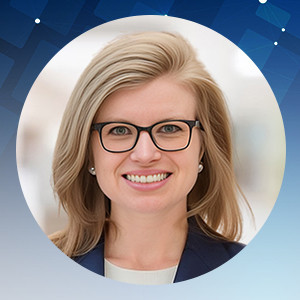
Klaralee Charlton is a Shareholder with Katz, Look & Onorato, P.C. where she practices fiduciary tax, estate administration, and business transactional law. As part of her practice, Ms. Charlton guides clients through the process of administering a loved one’s estate including the collection, valuation, management and transfer of assets including financial accounts, real estate, and business interests with a focus on minimizing estate and income tax liability. She also works closely with trustees of ongoing trusts to ensure compliance and prepares clients’ fiduciary income tax returns annually.
Klaralee has written and lectured on topics including estate and gift tax, fiduciary income tax reporting and U.S. regulations governing the valuation of small family businesses. She previously served as Chair of the Colorado Bar Association, Tax Section and President of the Greater Denver Tax Counsel Association. She earned her J.D. from the University of Utah, S.J. Quinney College of Law, her LL.M. in Tax Law from the University of Denver, and her B.A. in political science from Bryn Mawr College. She is admitted to practice in both Colorado and Montana.
We are approved to provide CPE/CE credits to Tax Professionals
We reports the educational credits to the respective licensing/regulatory bodies in 5 business days.
The credentials to log into your account is your EMAIL ADDRESS & PASSWORD used during account creation.
- If you’ve forgotten your password, please go to the login page and click on the ‘Forgot Password.’ Then enter your registered email id to receive the password reset email. Click on the link given in the email to enter your new password.
- If the face any challenge, please reach out to us via email support@pro2learn.com or contact our support team through live chat support. Our support line is 1-937-865-8027.Our support team is available Monday to Friday from 09:00 AM – 06:00 PM EST/EDT
When you register for any of our webinars/product, you receive will the instruction 24 hours prior to the conference. Also, the instructions are avilable in your account under ‘My Webinars’ section.
You can cancel your registration to by email at support@pro2learn.com. If you cancel your registration for the paid webinar, the amount shall be credited back in your payment method within 7 business days.
The conference materials are available 4 hours prior to the webinar. You can download it from the webinar page or by logging to your account.
Our seamlessly integrated with ZOOM, WebX and, Goto for delivering continuing education webinars. The system requirements are :
- An internet connection – broadband wired or wireless
- Speakers and a microphone – built-in, USB plug-in, or wireless Bluetooth
Our package courses are the bundles of various continuing education courses which have been specially designed to meet your continuing education requirements for a particular Qualification.
- The web download is the recording of the webinar. You will receive a link to download and save the webinar on your computer and watch it anytime and multiple times.
- The transcript is the detailed written material presented during the webinar.
On demand session is when we conduct the webinar as per your available dates after the live training. You will get access to the training for 24 hours.
To access a course that you have already purchased, all you must have to create/log in to your account. Click on the "Log In" button in the top right of the screen. Once you are logged in, you will have immediate access to all your purchased CPE courses, packages and other self-service or you can write on support@pro2learn.com.
We will email your certificate within 3 working days of the end of the webinar, or you can login your account at www.pro2learn.com. If you don’t receive the email within 3 working days of the end of the webinar, check your spam/junk folder. If it’s not there, we recommend that you send us an email at support@pro2learn.com or connect over the online chatroom.